
Upload a photo of a bare yard, a building lot or a public space and see it landscaped — lawn, planting beds, trees, paths and seating — in about 30 seconds, with the house and surroundings unchanged.
Drop a photo of the yard or site here
JPG, PNG or WebP • large photos are resized automatically
Each pair is a paying P20V user’s photo and the result of the instruction quoted under it.
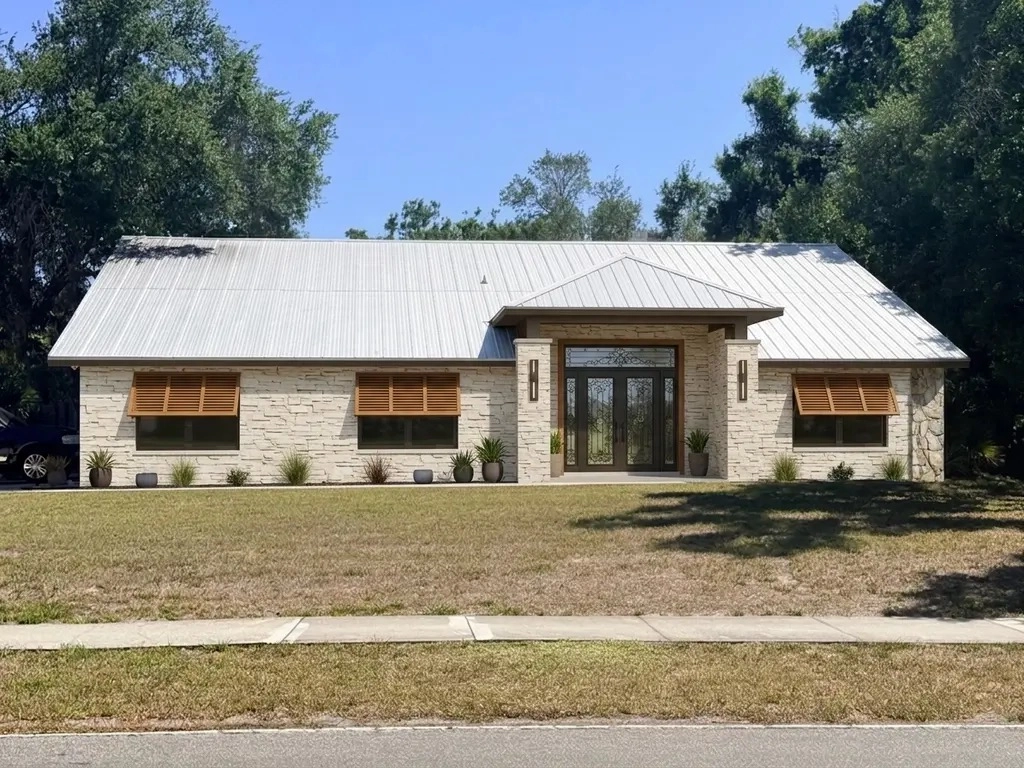 Before
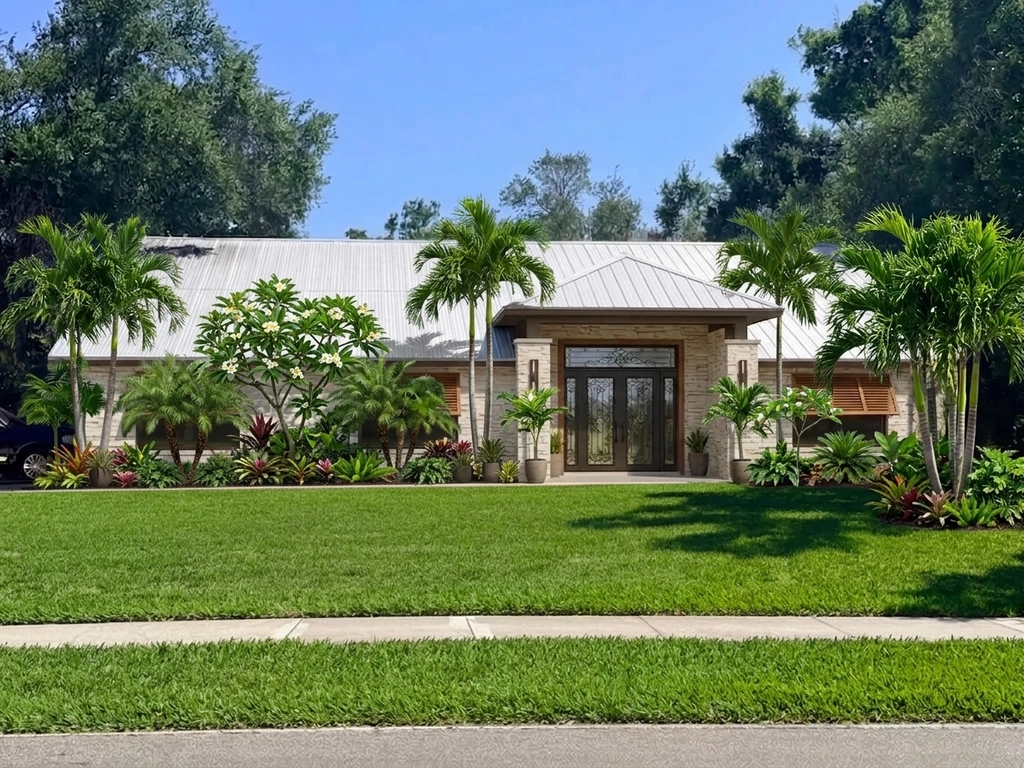 After
After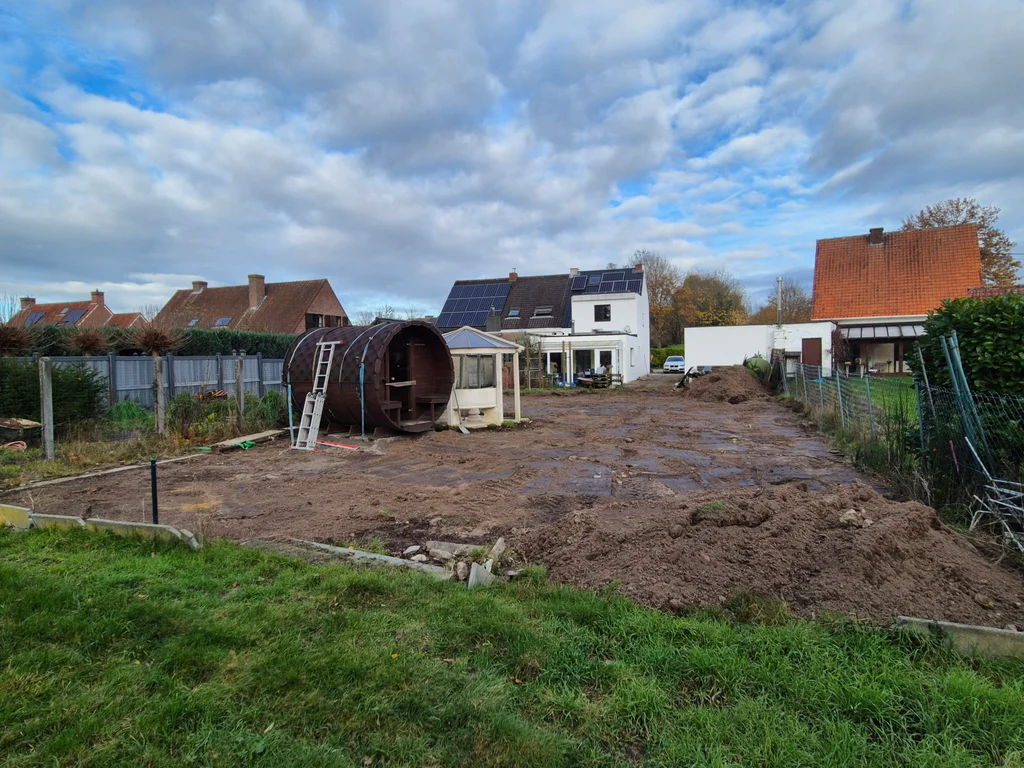 Before
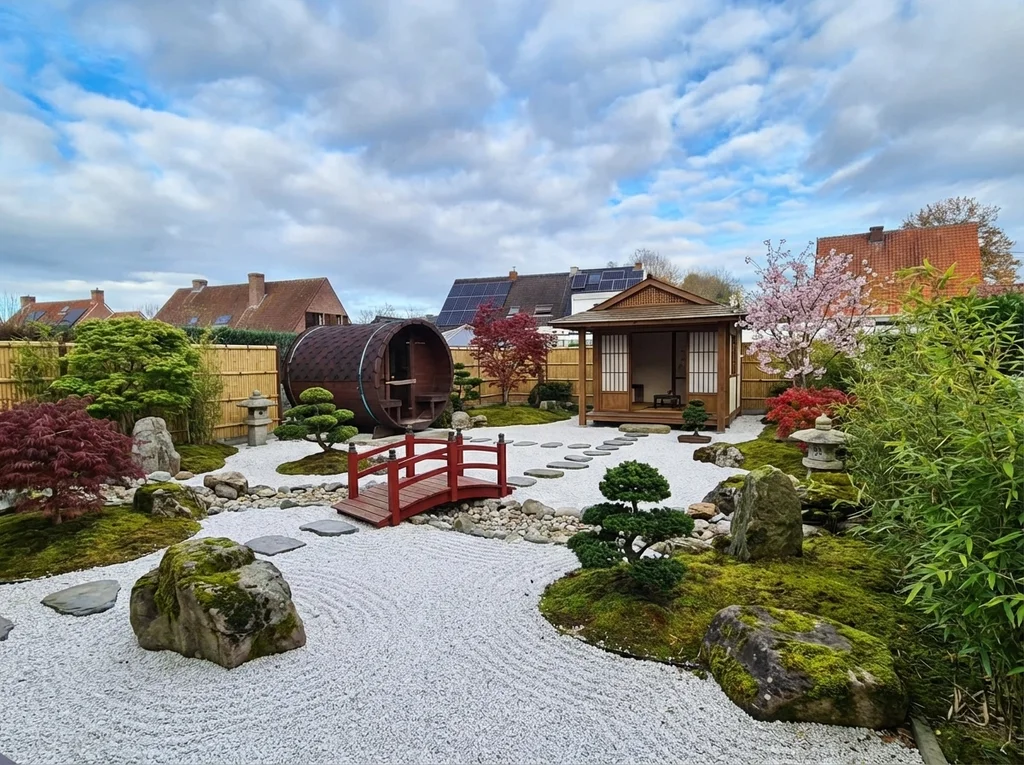 After
After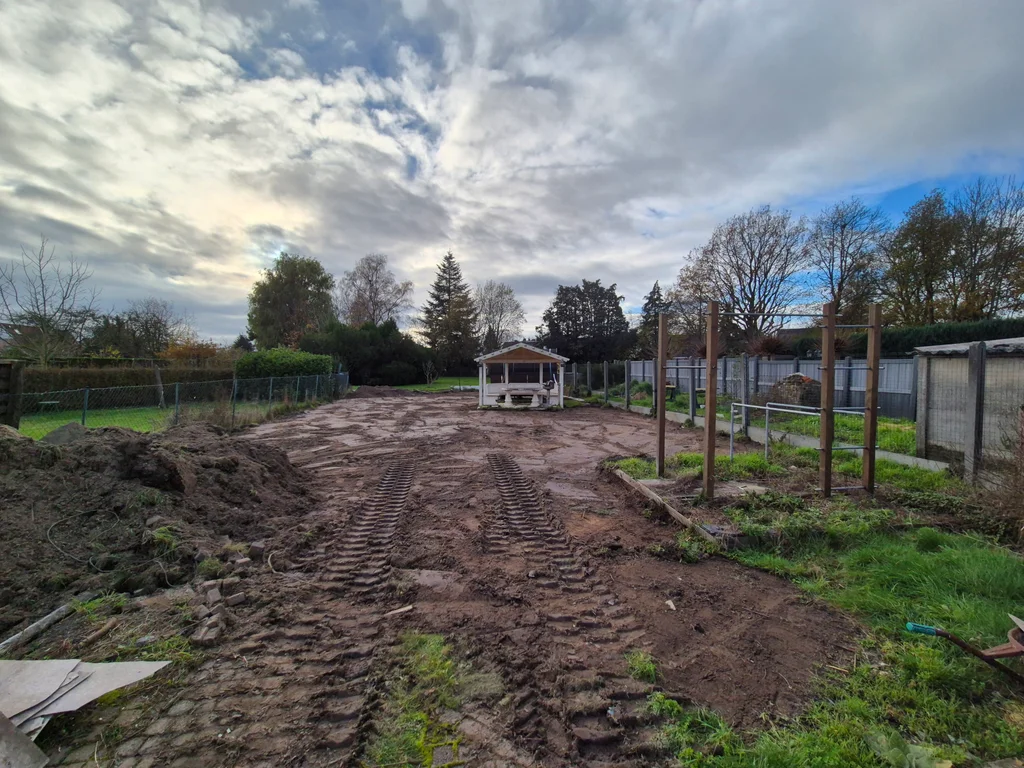 Before
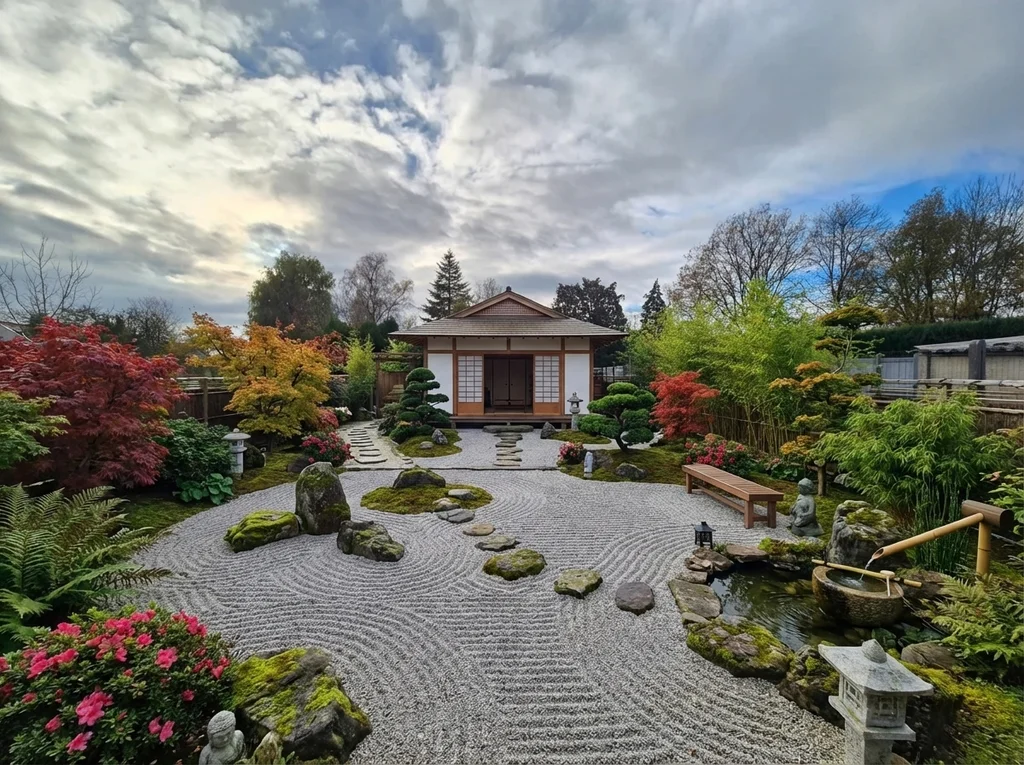 After
After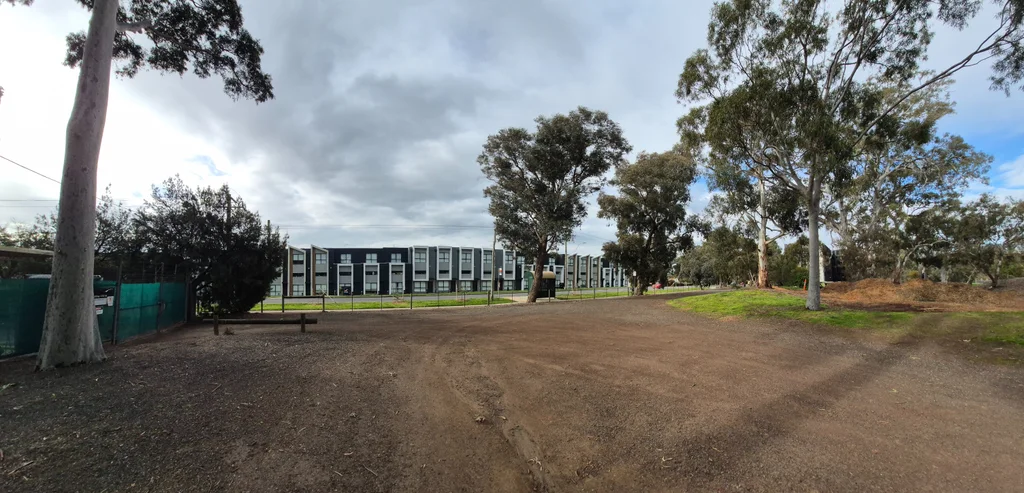 Before
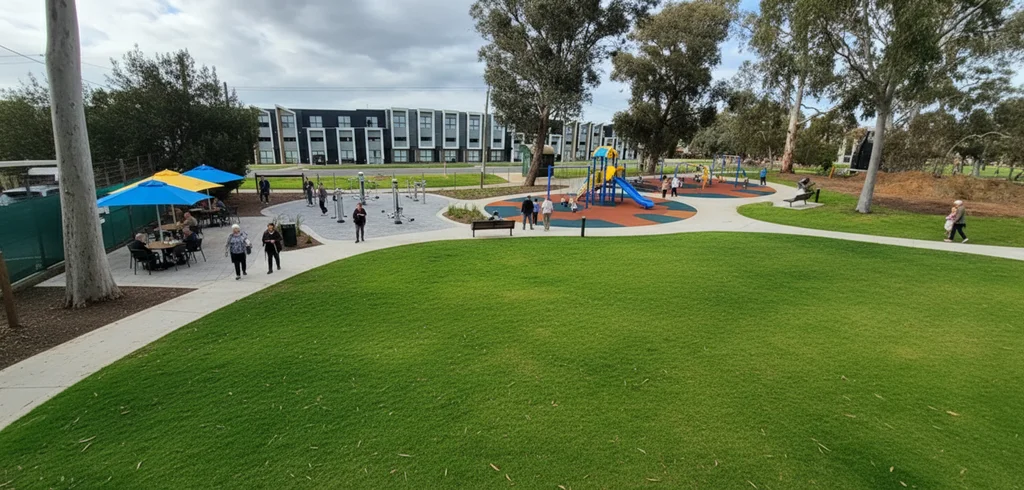 After
After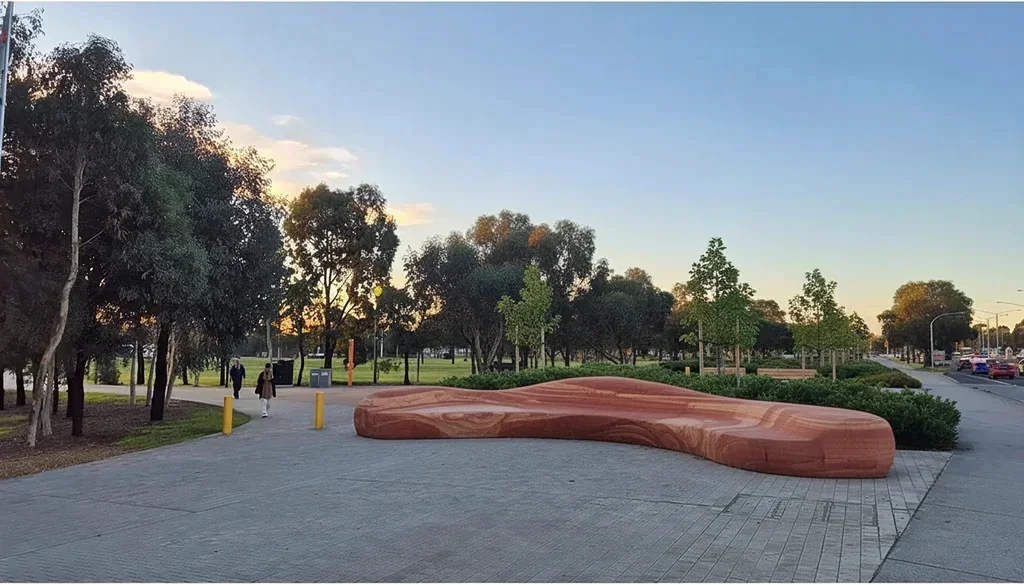 Before
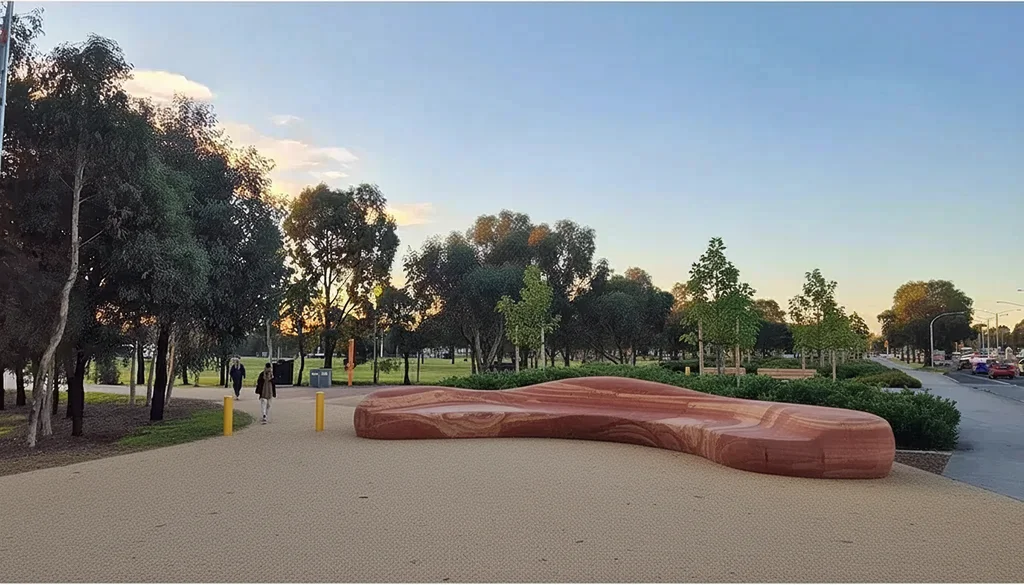 After
AfterReal uploads and results from paying P20V users, shared publicly. No retouching.
Landscaping is hard to imagine from a plan or a plant list. A bare front yard, a garden dug up after building work or an empty lot gives no hint of what it could look like, and mistakes are slow and expensive to undo once the plants and paving are in.
The visualizer starts from a photo of the actual place. Describe the style — tropical, zen, cottage, low-water, modern — or the exact changes, and you get a realistic image of the same yard, landscaped, from the same viewpoint. Change one area at a time until the picture is right, then use it to plan, budget or brief a landscaper.
Typical jobs from paying users:
Say where things go and what stays: "keep the original image; add palm trees and plumeria in the bare areas of the front yard; do not block the windows or the front door". For public spaces, describe people and use: "students sitting on a log bench reading". Large changes are easier in two or three steps than in one long instruction.
To change the colours or materials of the building itself, use the exterior paint visualizer; for garden layouts and plans, the garden layout designer below.
Drop a wide daytime photo of the yard, lot or space into the box above.
Name the style or the exact changes: lawn, plants, trees, paving, seating.
Change one area at a time, about 30 seconds per version, then download the images.
Basic is $9.99 per month for 25 images; Starter is $29/month for 50 images ($14.50 for the first month), Pro $79/month for 200 images, Studio $199/month, billed in USD. EU buyers pay VAT on top; no tax is added outside the EU. Every plan includes commercial use, so you can show the designs to customers and print from them. Cancel anytime. See plans
Upload a photo of the yard, garden or open space and describe what you want there: "lush lawn, palm trees and plumeria in the bare areas", "Japanese zen garden with raked gravel and a small bridge", "replace the dirt with grass and paved paths". In about 30 seconds you get the same photo, landscaped, with the house, fences and surroundings unchanged.
Yes. Name the area and the new material: "change the light grey pavement that winds to the left into beige sandy gravel", "remove the bushes in the middle, keep the lawn". The tool edits that part and leaves the rest of the photo alone, as the last example shows.
Homeowners deciding what to plant before buying anything, landscapers and garden designers who show a client the result with the quote, builders presenting a finished lot, and planners and students designing public spaces — several of the examples come from a campus and park design project.
No. The output is a photoreal image of the finished space. It shows the look and layout; plant choice for your climate and soil, quantities and the construction plan still come from you or your landscaper. Ask a local nursery whether the plants in the image suit your area.
No. P20V is a paid tool: Basic is $9.99 per month for 25 images; Starter is $29 per month for 50 images and its first month is $14.50. Every plan includes commercial use, so landscapers can use the images in proposals and ads. Cancel anytime.
A wide daytime photo of the whole area from where people will see it — the street for a front yard, the terrace for a back garden. Bare soil and construction sites are fine; that is where the change is most useful.
The same editor, set up for each kind of outdoor job. AI facade & exterior design