
Visualize interior lighting effects with AI. Upload room photos and generate realistic lighting designs with warm ambiance, accent lighting, and mood effects.
Drag and drop an image
JPG, PNG or WebP • large photos are resized automatically
To quickly transform your interior images with professional lighting effects without paying.
P20V AI Interior Lighting Effects Visualizer can automatically transform all your uploaded interior images (living rooms, bedrooms, kitchens, offices, dining rooms, any residential or commercial spaces) with realistic professional lighting effects and ambiance.
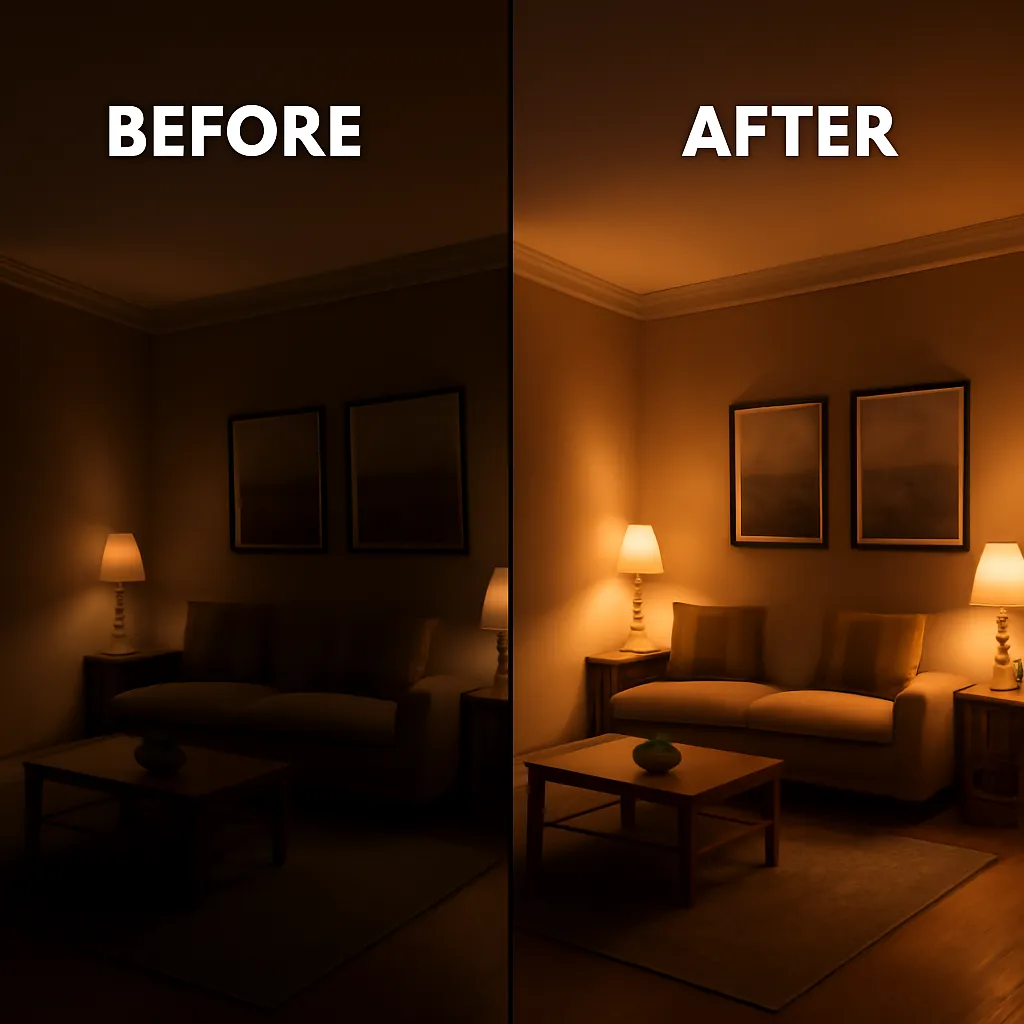
Once you've uploaded your interior photos, our P20V AI Interior Lighting Effects Visualizer will help you experience the transformative power of professional lighting design. It captures every architectural detail and enhances them with realistic lighting effects, warm ambiance, and sophisticated illumination.
Upload your interior images, such as room layouts, architectural photos, or design concepts, to P20V AI Interior Lighting Effects Visualizer and receive stunning professionally-lit interior visualizations.
After processing, download the final interior lighting visualization. Impress your clients by sharing professional lighting designs on LinkedIn, Instagram, portfolio websites, or other professional platforms.
Click the "Choose a file" button to select an interior image file, or you can drop or drag your targeted interior photo to P20V AI Interior Lighting Effects Visualizer.
After recognizing your uploaded interior image, P20V AI Interior Lighting Effects Visualizer will automatically analyze the space and apply realistic professional lighting effects.
Once the processing is complete, you can download your professionally-lit interior visualization or share it with clients and on professional platforms to showcase your design capabilities.
Yes, absolutely. P20V AI Interior Lighting Effects Visualizer is a powerful professional tool available online for interior decorators and designers to visualize realistic lighting effects in interior spaces. You can upload your interior photos and transform them with professional lighting design efficiently for professional in just one click.
Simply visit P20V AI Interior Lighting Effects Visualizer, upload your interior image by clicking "Choose a file" or dragging and dropping it into the upload area. Our AI will automatically process and apply realistic lighting effects to your interior space in seconds.
Interior Lighting Design AI uses advanced artificial intelligence to analyze interior spaces and apply realistic lighting effects, helping interior decorators and designers visualize how different lighting scenarios would look in real spaces before implementation.
P20V AI Interior Lighting Effects Visualizer is one of the best professional alternatives that gives interior decorators and designers a variety of choices for producing captivating lighting visualizations with high-quality results and user-friendly interface.
Yes, P20V AI Interior Lighting Effects Visualizer maintains high image quality during processing. Our advanced AI preserves important architectural details while applying realistic lighting effects, ensuring your visualizations retain clarity and professional appeal.
Our Interior Lighting Effects Visualizer supports all common image formats including JPG, JPEG, PNG, and WEBP. Simply upload your interior photos in any of these formats and our AI will process them with beautiful lighting effects.
The lighting visualization process is incredibly fast! Most interior images are processed with realistic lighting effects within 10-30 seconds, depending on the image size and complexity. Our optimized AI ensures quick processing without compromising quality.
Absolutely! P20V AI Interior Lighting Effects Visualizer is fully responsive and works seamlessly on mobile phones, tablets, and desktop computers. You can visualize interior lighting effects anywhere, anytime, perfect for on-site design consultations.